
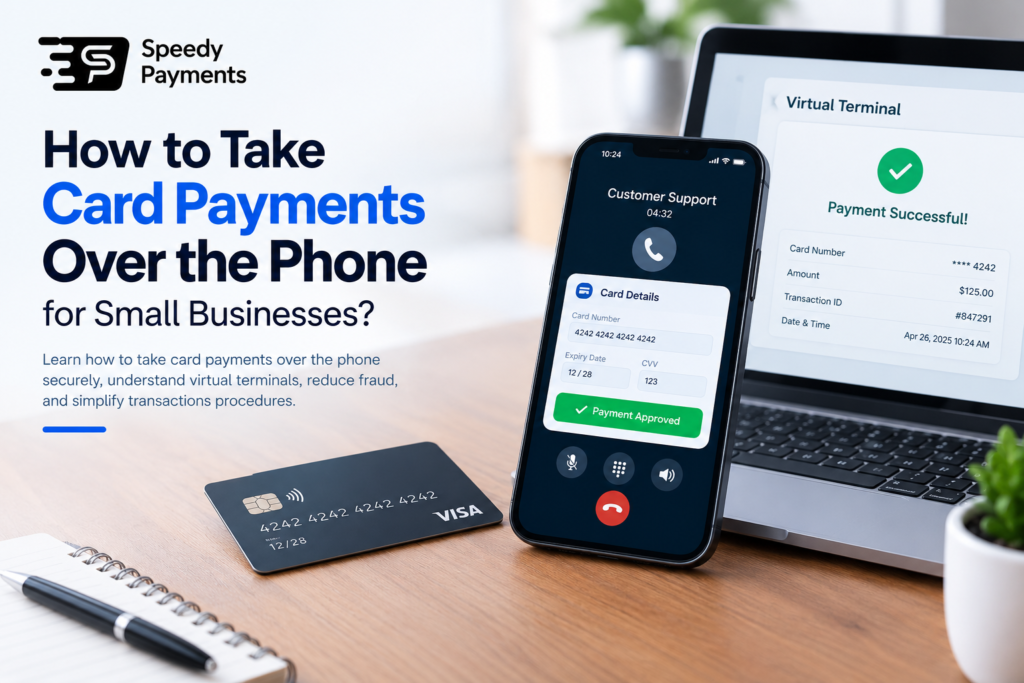
Taking card payments over the phone is a convenient way for small businesses to serve customers who prefer to order remotely. It allows businesses to accept payments without requiring customers to visit their premises or use an online checkout. With the right payment processor or virtual terminal, merchants can securely enter card details, process transactions, and confirm payments. Understanding how to take card payments over the phone helps small businesses improve customer convenience, streamline sales, and manage payments efficiently.
What Does It Mean to Take Card Payments Over the Phone?
Taking card payments via telephone entails taking money belonging to customers who provide their debit and credit card details during telephone communication. This is appropriate in a business that is not required to be in physical contact with the customers when selling goods or services. A company representative inserts the data on the card into a secure virtual terminal or payment system to complete the transaction.
After the payment verification, the customer gets confirmation, which will most likely be via either email or text message. Phone payments allow customers to easily purchase over the phone, as they like talking directly to a business representative. When using mobile card machines for small businesses, it is important to adhere to payment security policies to ensure the safety of customer data and avoid fraud.
Process on How to Take Card Payments Over the Phone
Step 1: Select a Trustworthy Payment Provider
The first step is to select a trusted payment service provider that takes phone payments. It should possess a favorable virtual terminal that is secure, without any transaction fees, with fraud detection, and with customer service. Review its requirements to make sure that the service will fit your business.
Step 2: Verify the Customer’s Order
When necessary, verify customer identity prior to asking about the details of payment and confirmation of the order. Explain the product or service, general price, taxes, shipping and other expenses. This enables customers to be aware of what they are purchasing before they can conclude the purchase.
Step 3: Gather Card Info in a Safe Manner
Ask the customer to fill the information that is mandatory, like the card number, expiry date, as well as security code where necessary. Insert the information into your accepted payment system. Do not use sensitive card information on call records, notes, emails or messages.
Step 4: Process the Payment
Make the payment via a secure virtual terminal or endorsed payment system of your provider. The system verifies the transaction against the payment network and issuing bank concerned. Wait till the message of approval or rejection is received, and only then verify whether or not the customer has successfully made the payment.
Step 5: Verify the Transaction
Once money has been paid, provide the customer with a receipt and confirmation of the transaction. Add the purchase value, order reference and contact information of the business. Where there is the possibility of non-payment, make it clear and offer a different method of payment that is safe.
Step 6: Follow Payment Security Guidelines
Secure customer data by ensuring it is accessed only by authorized personnel, as well as authorized payment devices. Adhere to security policies and relevant PCI DSS guidelines of your payment provider. Do not request customers to provide card PIN or the one-time banking authentication codes via phone.
Benefits of Taking Card Payments Over the Phone
Convenient Payment Options
Payments via credit card processing machine enable customers to shop for products or services without going to a brick-and-mortar store or making an online checkout. They directly talk to a representative, ask a question, verify their order information and pay, all in a single encounter.
Increased Sales and Payments
Accepting card payments over the phone can assist businesses in processing orders in a fast manner. Customers are able to make payment immediately when they accept the purchase, eliminating delays encountered with manual invoicing or the waiting time required in bank transfer payments. This is capable of enhancing the sales process.
Better Customer Service
A personal approach to customers will allow companies to clarify products, address issues, as well as direct the purchasers. This one-on-one contact may create trust, particularly among customers for smooth order placement. It is also useful for customers who would like to negotiate their requirements before they make purchases.
Increased Sales Opportunities
Phone payments enable companies to take orders on behalf of clients who cannot access their facilities or carry out transactions via the Internet. Such flexibility can assist businesses to serve more customers, regain sales that could otherwise have been lost, and provide payment options that meet varying tastes.
Approximate Cost to Take Card Payments Over the Phone
The price of taking payments with small business credit card machine portable depends on the payment provider, the location of your business, the amount of the transaction, and the type of card. Most providers impose a commission fee on every transaction and a maintenance fee. For example, a provider can charge about 2-4 percent per transaction, but in reality, the rates can be significantly lower or higher. Others will also have monthly charges, virtual terminal charges, or charges for manually entered card charges.
Above all, companies should research various providers and subsequently choose a service. Ask about startup costs, refunds, and international payments. Always ensure that you check the current prices of the provider, as the costs and availability of the same differ depending on country and mode of payment.
FAQs: Commonly Asked Questions
1. Is it safe to take debit or credit card payments over the phone?
Yes, it comes with secure payment systems, limited access, adherence to the requirements of the PCI DSS, as well as, improper storage of sensitive information.
2. Do I need a card machine to accept phone payments?
No. Telephone payments can be made using a virtual terminal via an authorised web-browser, and then no physical terminal is necessary.
3. What does MOTO mean in card payment processing?
MOTO stands for Mail Order/Telephone Order. In this type of transaction, a customer does not appear to make their payment physically. They make payment through the provision of their payment details remotely.
Make Every Customer Call an Opportunity to Get Paid
Ready to make payments simpler for your small business? Explore Speedy Payments’ phone payment solutions and discover how a virtual terminal can help you process remote transactions without a dedicated card machine. Visit Speedy Payments to explore your options and discuss your business needs with the team.