
An Electronic Point of Sale (EPOS) till system is a digital platform that helps small businesses manage sales, inventory, and customer transactions efficiently. EPOS systems, unlike the old cash registers, are hardware and software systems to simplify day-to-day operations and minimize human errors. They enable UK business owners to monitor stock in real time, produce precise reports, and improve overall service speed. This guide explores the basic insights about how to setup EPOS till system for small business.
Reasons to Have an EPOS Till System for Small Business
An EPOS (Electronic Point of Sale) till system is a system that supports small businesses to simplify routine business operations. They help integrate sales, inventory, and reporting into a single, effective application. It eliminates human errors, streamlines checkout processes, and improves customer service by making transactions quicker and more precise.
Hence, it is easy to track stock in real time, so business owners can detect when inventory is too high and when it will run out. It also offers useful sales ideas that help owners make the right decisions to expand their business. Moreover, the current EPOS system for restaurants has led to professionalism, increased staff efficiency,and a more streamlined experience for both staff and customers in the UK.
Setup Guide for EPOS Till System for Small Business
1. Identify the correct EPOS System
Choosing an appropriate EPOS system for retail shop is very important for your business requirements. Take into account factors such as budget, convenience, compatibility with hardware, and features such as inventory tracking and reporting. Make sure the system fits your business size and expansion target. An appropriate system will streamline operations and enhance overall efficiency.
2. Install the Hardware if Needed
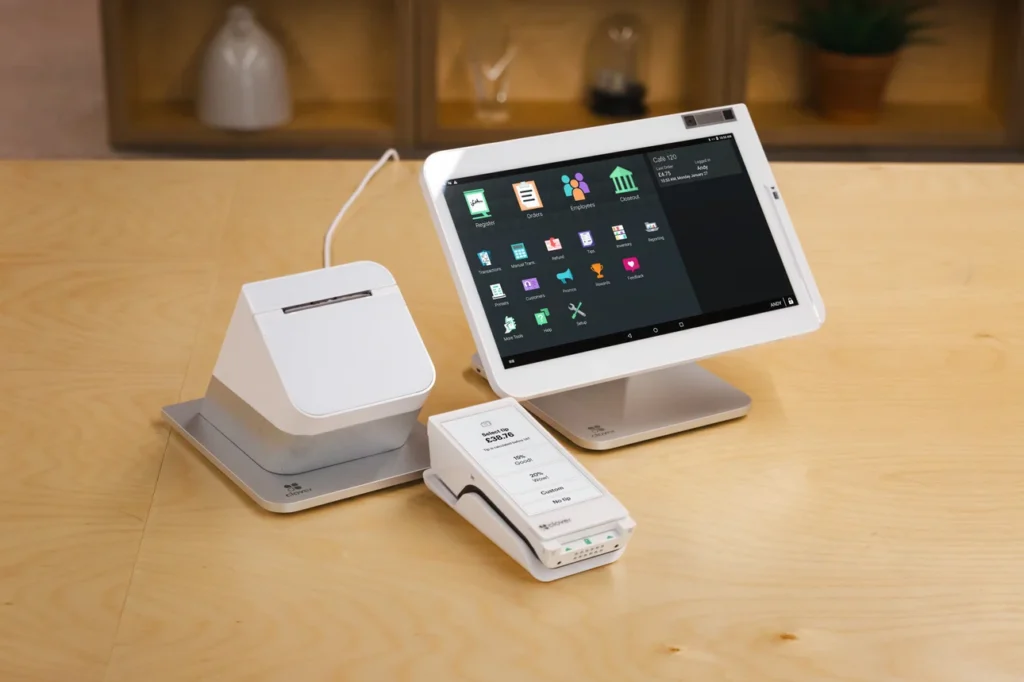
After choosing your EPOS system, install the required hardware, including a touchscreen terminal, barcode scanner, receipt printer, and cash drawer. Proper installation will ensure safe operation and avoid technical problems. After following the instructions, take your time to make sure that all the parts are properly connected and that they are ready to be used.
3. Install the Software
Once hardware has been installed, configure the EPOS software with business information, taxation, product category and price. This is done to ensure your system is tailored to your operations. With proper setup, you can bill correctly, make transactions with ease, and run your business operations effectively from the start.
4. Add Product Inventory
Enter your goods into the system, names, prices, stock, and barcodes. Properly organised inventory can be easily followed and checked out more quickly. It is also helpful for real-time monitoring of available stock levels. Hence, you can restock products before they deplete and miss sales opportunities.
5. Configure Payment Methods
Establish authorized payment methods, including cash, credit/debit cards and electronic wallets. Make sure that your EPOS system is connected to safe payment systems. This should be used to provide customers with a variety of payment options. Hence, this will provide a better customer experience and boost sales by catering to a diverse range of tastes and preferences.
6. Train Your Staff
The right training will enable the employees to utilize the EPOS system effectively. Train them to transact, handle refunds, manage inventory, and troubleshoot. Highly trained employees minimize mistakes, enhance customer care and facilitate the daily running of your business.
7. Test the System
Do extensive testing of EPOS till systems for retail shop before launching them fully. Perform sample transactions, inventory updates, and check receipt printing. Testing helps detect and correct technical issues early, ensuring the system is functional and preventing inconveniences in real business processes.
8. Go Live and Performance Monitoring
Once everything is in place, start using EPOS in your day-to-day operations. Evaluate its performance regularly and obtain feedback on staff. Constant monitoring helps identify areas for improvement and ensures the system remains useful to your UK business in the long run.
Tips to Boost Efficiency of EPOS Till System for Small Business
1. Update Software and Hardware Regularly
Maintaining your EPOS system up to date is a sure way to ensure it performs at its best and remains secure. Constant software updates eliminate bugs, enhance features, and prevent cyber threats. Similarly, hardware maintenance helps prevent breakdowns and ensures easy operation. Keeping up to date will keep your system running smoothly and help mitigate unforeseen problems in your business operations.
2. Organize Inventory Efficiently
An effective inventory system is well structured, making your EPOS system faster and more accurate. Label the products correctly and maintain inventory. This assists the personnel in finding the items fast and minimizes mistakes at checkout. Effective inventory control also helps prevent shortages and overstocking. It also enhances the business’s overall performance and customer satisfaction.
3. Use Reporting and Analytics
The majority of EPOS system for restaurant UK provide powerful reporting features that help to understand the sales trends, the periods of highest sales, and customer behavior. Decide on staffing, promotions, and stock based on these reports. Data is used to maximize operations and find growth opportunities to achieve more efficiency and profitability.
4. Train Staff Continuously
Periodic training keeps employees up to date on system features and best practices. The EPOS system enables well-trained personnel to operate it fast and with accuracy, so that there is minimization of errors and transaction time. Ongoing training also builds confidence, improves customer service, and enables new features or updates to be implemented efficiently as your business develops.
Transform Your Checkout Experience Today
Upgrade your business with Speedy Payments and unlock faster transactions, seamless integrations, and reliable performance. Our advanced EPOS solutions in the UK empower small businesses to handle payments effortlessly while improving customer satisfaction. With user-friendly setup, real-time analytics, and secure payment processing, you can focus on growing your business without worrying about technical complexities.