
Portable card machines have revolutionized the business payment model, where it is now possible to make transactions faster, safer and more flexible in any location. Regardless of whether you operate a retail outlet, a cafe, a delivery service or a freelance business, it is important to figure out how to use a portable card machine to operate efficiently and satisfy customers. This guide shows you everything in one step-by-step guide on how to use portable card machine from setup to transaction.
Quick Tutorial for How to Use Portable Card Machine
Step 1: Unpack and Recharge the Gadget
Take your mobile card machines for small businesses out of the package with a lot of care. Plug the charger into a power source and the gadget. Before use, charge the device to the fullest. Correct charging guarantees maximum battery performance, easy running, and continuous transactions during the initial installation and regular use to avoid premature shutdown and malfunctions.
Step No 2: Power On and Set Up
Hold the power button until the screen does not start working. Select the on-screen instructions to choose the language, time zone as well as device preferences. Connect to Wi-Fi or a mobile network. Setting up the device confirms the readiness of the device for transactions and the ability to communicate with payment servers.
Step No 3: Connect to the Network
Click on the settings menu and select Wi-Fi or mobile data connection. Input the necessary password as well as verify the connection. A consistent network helps to facilitate real-time processing of transactions. At least some offline processing is possible, although payments does not get verification until the device again connects to a functioning network.
Step No 4: Merchant Account Registration
Connect card payment machine with your merchant account by typing in bank or payment processor credentials. Confirm the account by OTP, email or SMS. This would make sure that all the transactions are straight direct to the business account without any errors, delays or loss of payment during card processing.
Step No 5: Processing a Payment
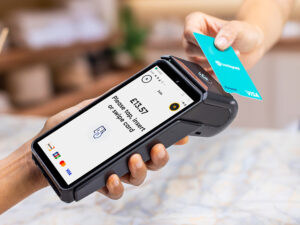
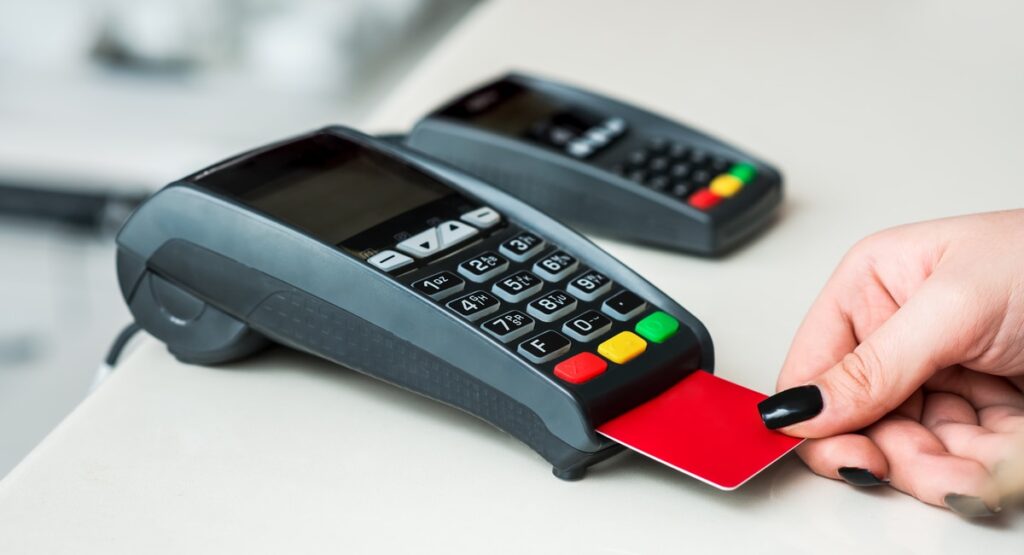
Key in the amount of the transaction on the screen. Request the customer to swipe, insert or tap his card as required. Wait until the authorization comes. Upon success, the device will show success. Always remove the card when the transaction is complete to avoid errors or duplication of transactions.
Step No 6: Sending or printing Receipts
Once the transaction gets the approval, select the option of printing a physical receipt or an electronic copy of the receipt by email or SMS. Make sure that the customer gets it. Good receipt management guarantees transparency, payment evidence as well as proper bookkeeping. Receipts assist in keeping records of the merchant and the customer effectively.
Step No 7: Turn off and Store Away
Powering off the device will save battery when all transactions are done. Keep it in a clean and dry place, out of the direct sunlight, water or heavy objects. Correct storage helps in protecting the machine against destruction, keeps the machine in good condition and ensures it will perform accurately in the future without experiencing any form of downtime or failure to operate.
Troubleshooting Problems When Using Portable Card Machines
Using a mobile card payment machine is quite simple, but it comes with certain issues. When your device is not starting, it might be due to the battery or the power connection. Connection failures often occur because of poor internet as well as Bluetooth not working. Make sure that your network is stable. Unsuccessful transactions can either restart the machine or rekey in card details with caution.
Common errors are easy to prevent by cleaning the card reader regularly and updating the software. Maintenance should be done according to the instructions of the manufacturer. In case of issues, call customer care immediately. Quick troubleshooting will make sure that you can make payments and keep your business going.
FAQs: Common Questions People Often Ask
1. How long does it take to install a portable card machine?
Installation can require 15 to 30 minutes, depending on the internet connection, configuration needs, and the need to integrate the software.
2. Are portable card machines Wi-Fi enabled?
Most devices are indeed based on mobile data or Bluetooth connections. This means the payments can be processed even in areas where there is no stable Wi-Fi connection.
3. Is it safe to use portable card machines to make transactions?
Yes, the modern machines are guarded by encryption, tokenization and security compliance standards. It safeguards customer data and minimizes risks associated with fraud.
4. What payment options does this machine accept?
They embrace debit cards, credit cards, contactless, mobile wallets, and, in some cases, QR code payments, which are convenient to the customers.
Get Ready to Grow Your Business with Speedy Payments
Upgrade your business with faster, smarter, and more secure payment solutions. Speedy Payments offers advanced portable card machines designed for reliability, flexibility, and seamless transactions anywhere. Transform customer experience, reduce checkout delays, and boost sales effortlessly. Get started today with Speedy Payments and empower your business to thrive in the modern cashless economy.